Some comments,some Emails asking me how to display backlinks with new blogger templates that my site offers. By default, I have turned of "links to this post" in my templates, if you want to just make it visible {whichever template you may be using}, follow these steps..
1.Goto Page Elements Section of your Layout and then click on the link which edits your blog post widget
2.Mark the "Links to this Post"as checked.
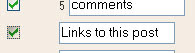
Remember you can also drag your "Links to this post" link across your sample blog post according to your relevance

3.Save changes, and then view your template.
Again there would be a bit confusion.On the main page of your blog,there would only be a "link to this post" line after each post.

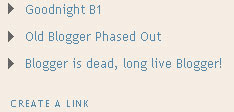
Wheras if you view only those pages with one post{Itempage}, It will also give the Post titles and link to the linking posts.This feature is used by conditional tags
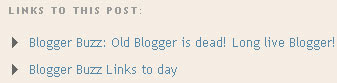
in old blogger...
Itempage
in new blogger..
b:if cond='data:blog.pageType == "item"
Another feature "Blog This" was added on 7 Jan to both new and old blogger template,by which bloggers can directly link to your post from their own blog post..
1.Goto Page Elements Section of your Layout and then click on the link which edits your blog post widget

2.Mark the "Links to this Post"as checked.

Remember you can also drag your "Links to this post" link across your sample blog post according to your relevance

3.Save changes, and then view your template.
Again there would be a bit confusion.On the main page of your blog,there would only be a "link to this post" line after each post.

Wheras if you view only those pages with one post{Itempage}, It will also give the Post titles and link to the linking posts.This feature is used by conditional tags

in old blogger...
Itempage
in new blogger..
b:if cond='data:blog.pageType == "item"
Another feature "Blog This" was added on 7 Jan to both new and old blogger template,by which bloggers can directly link to your post from their own blog post..

Sumesh said, he has a Credit Card!
ReplyDeleteHe don't even have the legal age to receive one, also he seems to be a student, so will not fall on the category of embloyed or non employed.
On what basis the Bank gave him Credit Card.
If he had a Credit Card, why didn't he verify it with his Paypal Account. Other Day I checked his Buy Me a Coffe thing that I noticed a his Paypal Account is not yet verified.
I would like to hear from him...
Well I agree to your point
ReplyDeleteBasically you gotta be of atleast 18 to have a credit card
Thats y I was a bit surprised
Maybe he is using his relative's Credit Card.
AnD Also Maybe he got a credit card after you bought him coffee
Use CCViD share-this blog widget at your blog. Using this blog widget you can easily allow your users to share your article.
ReplyDeletehttp://www.ccvid.com/apps/share-this/get-code.php
If you are a new blogger, then its must for you. Just add it to your blog, and see how your blog gets more traffic.
Jeans online. Clothing Store Online
ReplyDeleteJeansPilot blogspot
This comment has been removed by a blog administrator.
ReplyDeleteThis comment has been removed by a blog administrator.
ReplyDelete